
Posts Tagged ‘players’

June 16, 2021

RUMbots and Blueprints and Cogs! Oh my!

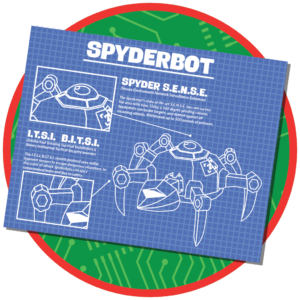
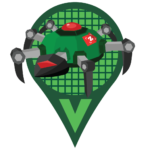
Last month’s Spyderbot Squashing Initiative was successful in decreasing the number of Spyderbots on the map, but without changes to the Spyderbots themselves, the numbers have climbed back up again. To keep the bouncers more varied and fun for players to chase after, we’ve created a new credit called a “Cog” which will replace the Spyderbot as the Day 7 Daily ZeeOps reward.

Paired with Blueprints, you’ll be able to use those Cogs to deploy new tPOBs of your choosing. If you started playing Munzee more than half a year ago, you’ll be happy to know that past Blueprints you’ve collected will be of use! However, please note that tPOBs deployed using this new system have been rebuilt to offer a more consistent experience. This means things like point values and scatters remain the same as the originals, but expiration triggers and badge lines are different. If you missed out on any of those past Blueprints, you’ll find some of them available in the Freeze Tag Store. Like many of our other items, Blueprint availability will be on rotation.

If you have the right Blueprint, instead of using the 5 Cogs you’ll receive upon completing your Day 7 Daily ZeeOps mission to deploy a Spyderbot, now you have the option of saving up Cogs to deploy something more powerful, like a *L.A.S.E.R. Shark. The choice will be yours within the options given.

Don’t worry if you have any Spyderbots out on the map — those will remain. As mentioned above, moving forward Daily ZeeOps will award Cogs instead of the Spyderbot directly. Of course, not all tPOBs are created equal, so different amounts of Cogs are required to convert to each tPOB type.

You’ll find all the details and conversion rates at munzee.com/redeem. These rewards/rates may change from time to time. You will see your available list of blueprints on the Redeem page. If you don’t see the blueprint you’ll need to find the location to purchase or earn it. Cogs are currently only available as Daily ZeeOps rewards, but this may change in the future. There are many options out there for us to use and award these Cogs as prizes!

RUMBot Details

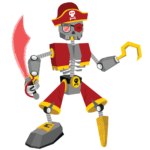
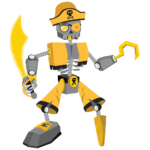
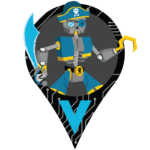
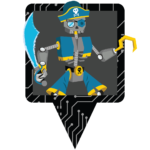
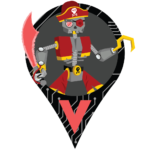
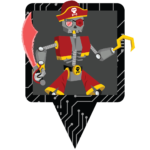
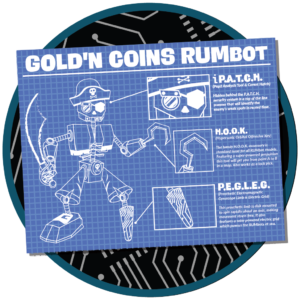
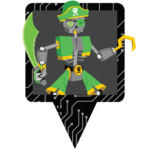
What better way to launch Cogs than with some new tPOBs to build? To continue support of our Authorized Resellers, we’ve developed RUMbots! Please welcome these very special swashbucklers color-coded to match each Reseller’s shop!
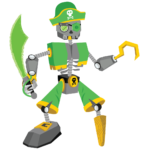
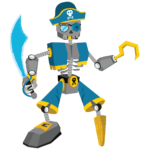
Similar to the Spyderbot, RUMbots are temporary POBs that will remain on the map until they have been captured 5 times. They will be available at our Authorized Resellers’ shops some time today. When you purchase a RUMbot  from a Reseller, you will receive a fully-built RUMbot that auto-deploys. You will also receive the Blueprint to rebuild it when you have earned enough Cogs in the future. Interested? You can get links to shop all of our resellers HERE!
Points

  • Deploy: 300
  • Capture: 150
  • CapOn: 200

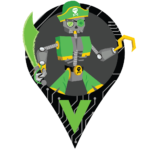
You can find these worldly warriors sailing to the following landing pads every 6 hours or when captured:

RUMbots of ANY type will be available for multi-capture. That means players can capture RUMbots on their own munzees, any previously captured munzees, and more than once if the same RUMbot visits you. RUMbots are non-blastable. They will be attracted to both Physical Magnets and Virtual Magnets. You can access RUMbots by turning on your “All Expiring Specials” filter.

Badges

Deploying a RUMbot will earn you the Blueprint badge. You can see the badge for the Gold’n Coins RUMbot as an example below.

There is also a line of capture badges that you can earn for RUMbot captures! You can see the first badge in this line below.

We hope you look forward to dueling these droids!

Munzee on!


*The 3 L.A.S.E.R. Shark blueprints will only be available through completing the Secret ZeeOps. Did you miss out on one of them? Stay tuned…

May 29, 2021

May Garden Gnome Reminder + June Preview!

As the month comes to a close, we wanted to make sure you were heading into June with your desired Garden Gnomes! The skin for completing your May capture streak (and the corresponding badge) will be awarded in early June, but we couldn’t wait to share what’s in store!

May Garden Gnome Reminders

If you haven’t picked up a Garden Gnome yet, they are available in the Freeze Tag Store for $8.

Each month, the price of a Garden Gnome will decrease by $1. However, players can only purchase 1 Garden Gnome every 28 days.

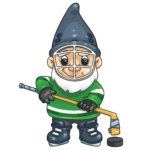
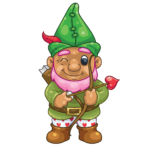
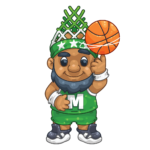
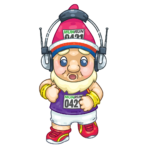
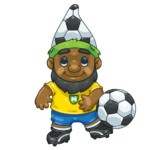
If you’re planning to complete the capture streaks for each month (and made the initial purchase in January) you’ll have 12 different skins to choose from! So be sure to purchase one each month so you can have a complete bench of these athletic Garden Gnomes!

We also released special Reseller Garden Gnomes in March — if you’re interested, you can check out our blog post on them HERE!

June Garden Gnome Details

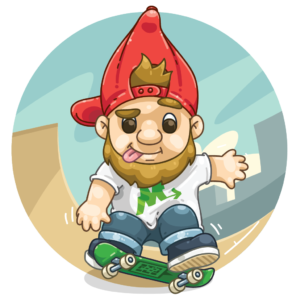
What Gnome Skin can you look forward to receiving in June? The totally cool Skateboarding Garden Gnome! Like the other gnomes, the Skateboarding Garden Gnome is a temporary POB that will remain on the map until 23:59 MHQ on December 31.

As stated earlier, to earn this skin, you’ll need to have completed this month’s (May’s) capture streak. Once the skin is awarded in June, you can change the skin on the gnome to this one at any point — refer to our original blog post for the instructions!

Points

  • Capture: 250
  • CapOn: 300

You can find these street surfers rolling to the following landing pads every 6 hours or when captured:

Additionally, the Skateboarding Garden Gnome will scatter up to 3 NEW Gnome Heelflip Hats nearby when it is captured!

Like the other Gnome Hats, the Gnome Heelflip Hat will be visible to any player and will be deployed on the Gnome owner’s account. This means that unlike Feathers/Boulders, there are CapOn points for the owner! They expire after 120 minutes and have a capture radius of 300 feet. These hat scatters will NOT count for deploy streaks, ZeeOps, or clan activity since they are passive deploys.

The rewards for Gnome Hats are as follows:

  • Capture: 50 points
  • CapOn: 50 points

The Skateboarding Garden Gnome will be available for multi-capture. That means players can capture Skateboarding Garden Gnomes on their own munzees, any previously captured munzees, and more than once if the same Skateboarding Garden Gnome visits you. Skateboarding Garden Gnomes are non-blastable. They will be attracted to both Physical Magnets and Virtual Magnets. You can access Skateboarding Garden Gnomes by turning on your “All Limited Edition Specials” and “All Expiring Specials” filters.

Badges

As a reminder, Garden Gnomes have 4 associated badge lines:

  • Unique type deploy badges — you’ll need to earn each month’s skin by keeping your streak up!
  • Overall deploy badges — the more gnomes you deploy, the merrier!
  • Unique type capture badges — capture at least 1 of each skinned gnome!
  • Overall capture badges — capture as many gnomes as you can find!

While we revealed images for the first of each badge line in the original post, we are happy to show you the “Unique type deploy” and “Unique type capture” badges associated with the Skateboarding Garden Gnome:

We hope you don’t eat pavement while earning June’s Gnome Skin! Don’t forget to keep your streak up through June — you’ll need to in order to earn the July Gnome Skin!

Munzee on!

May 27, 2021

Flower and Animal Evos Available in the In-App Store!

We want to make sure you’re able to get some use out of your Zeds, so we’re constantly reviewing what’s available in the In-App Store. After some discussion, we decided it was time to add select Evolution Types!

Here’s a list of what you can now find in the In-App Store — if you’re on your Munzee-playing device, you can tap HERE to visit it:

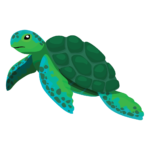
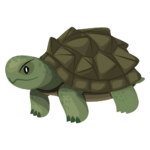
  • Frog – 750 Zeds
  • Butterfly – 750 Zeds
  • Turtle – 750 Zeds
  • Jellyfish – 750 Zeds
  • Lily – 600 Zeds
  • Rose – 600 Zeds
  • Carnation – 600 Zeds

You can find the Jellyfish and Carnation in the “Munzees” section of the store, while the rest will be in the “Credits” section.

Make sure to visit the In-App Store regularly to see what is currently in rotation! We will be updating the store on a semi-regular basis to remove certain items and add others, in order to better complement ongoing Munzee happenings. While we will continue to make blog and social posts when significant changes to the In-App Store are made, the actual In-App Store pricing and availability is the final authority.

Munzee on!

May 26, 2021

Spyderbot Squashing Initiative

Agents, we’ve received reports that a disturbing number of Spyderbots have flooded the map. While this is a good thing, as it means many of you are completing your Daily ZeeOps Missions regularly, it seems they aren’t getting squashed as quickly as we had expected. So, to make it more worth your while, we’ve quickly put together another bonus period for the month! We’ve even got a few rewards if you help us out!

Double Points Details

From the period of Wednesday, May 26th at 12:00 MHQ through Monday, May 31st at 23:59 MHQ, enjoy double capture points on Spyderbots! Please note that capon points are not doubled — this period is meant to reward those hunting and squashing the pesky machines.

To make them a bit easier to cap, we’ve added…
Limited-Time Landing Pads

For the same period as double points, Spyderbots will land on the following:

Rewards!

Help us short circuit the Spyderbot population and we’ll make it worth your efforts! Anyone who captures a Spyderbot during this time period will receive 5 Rover Treats. Anyone who squashes a Spyderbot will receive 1 QRowbar!

You will only receive the reward once, this is not repeated each time you cap or squash a Spyderbot. The rewards will be delivered on June 1st at 12:00 MHQ.

Rover’s Ability Boosted!

For the same period as double points, you will be able to send Rover to capture Spyderbots that are behind 500 feet, but within 1000 feet, using Rover Treats! Please keep in mind that Rover can only fetch on virtual munzees (normally only Amethysts and virtual scattered munzees are eligible to have their capture radius extended), so he can help you move Spyderbots along, but he cannot squash them for you.

Remember that the popup to send Rover to capture a munzee will only appear if you are out of the original range, so make sure to keep an eye out!

If you don’t have a Rover with you and there aren’t any nearby for you to pick up, you can purchase one from the Freeze Tag Store HERE, or if you’re on your Munzee-playing device, you can purchase it in the In-App Store HERE. To learn more about how Rover works visit our Help Guide articles HERE!

We hope this brings the Spyderbot population back under control!

Munzee on!

May 20, 2021

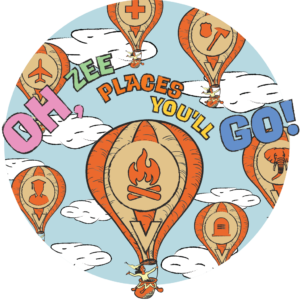
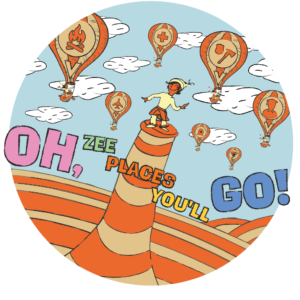
Oh, ZEE Places You’ll Go During This Month’s ZEE-Dayz!

Last year we kicked off our first official ZEE-Dayz with a very popular double radii weekend! We think it’s been a good amount of time since then, so this year, on top of double radii, we’ve got some special badges for you to earn and more! Read on to get the deets!

Double Radii Details

From the period of Thursday, May 20th at 12:00 MHQ through Monday, May 24th at 23:59 MHQ, enjoy double capture radii on ALL Places and Flats excluding Fancy Flats!

To ensure you’ve got a lot of Places to go to, we’ve sweetened the deal with…

Limited-Time Badges

For the same period as double radii, you can earn a special badge for capturing a certain number of Places, and another for deploying at least 1 Place (since the deploy process is a bit more involved than other types). You can see what these badges look like below!

We’ll keep the exact requirement for the capture badge a secret, but it shouldn’t be too hard to get!

New Items in the Store!

A new collection featuring the limited-time badge art will be available in the Freeze Tag Store!

As you can see in the image above, the collection includes a NEW personal tag, along with all the gear you need for a trip! Also, this is a friendly reminder that we released 2 new Places and a personal tag earlier in the week!

Rover’s Ability Boosted!

For the same period as double radii, you will be able to send Rover to capture Emeralds, Sapphires, Citrines, and Onyxes that are out of the original range, but within double the original range using Rover Treats! To clarify, normally only Amethysts and virtual scattered munzees are eligible to have their capture radius extended — the remaining four virtual Jewels will be eligible until 23:59 MHQ on May 24!

Remember that the popup to send Rover to capture a munzee will only appear if you are out of the original range, so make sure to keep an eye out!

If you don’t have a Rover with you and there aren’t any nearby for you to pick up, you can purchase one from the Freeze Tag Store HERE, or if you’re on your Munzee-playing device, you can purchase it in the In-App Store HERE. To learn more about how Rover works visit our Help Guide articles HERE!

We hope you enjoy going places this weekend!

Munzee on!

May 15, 2021

Secret ZeeOps- Operation: Lady Luck (May 2021)

UPDATE: Information on Operation: Green Thumb was corrected below.

Agents, we were lucky to have an uneventful April — perhaps all the crooks were on Spring Break? With the extra time, we made some much-needed updates to our system! Unfortunately, trouble is brewing once again. If you’re game, a new Secret ZeeOp is available in the ZeeOps Hub. Operation: Green Thumb was removed from the ZeeOps Hub at the end of April. However, if you’ve already purchased Operation: Green Thumb, you will be able to complete it and collect rewards even after it is no longer available for purchase.

Can you smoke out some unsavory characters that have made the new hot spot their home base? If you complete ALL the missions in Operation: Lady Luck, you’ll receive the snazzy badge below, along with the Arctic L.A.S.E.R. Shark Munzee (more info below!) and various other rewards listed in the app!

There are 3 levels. Level 1 has 3 missions, Level 2 has 5 missions, and Level 3 has 5 missions. Each level ends with more prizes.

We may share this information moving forward with other Operations but possibly not.

Arctic L.A.S.E.R. Shark Details

The Arctic L.A.S.E.R. Shark functions the same way as the regular L.A.S.E.R. Shark. You can refer to our Help Guide article about it HERE!

The only difference, other than its color, is that it also lands on Joystick munzees (both physical and virtual).

With the release of this L.A.S.E.R. Shark variant, we’ve created a new deploy badge, and also have featured it in the line of capture badges released in March. While we’ll keep the capture badge a secret, you can sneak a peek at the deploy badge below:

On behalf of MHQ, we thank you for your continued service.

This message will self destruct in 3… 2… 1…

May 12, 2021

Roverhaul Part 3!

Roverhaul Part 1 gave Rover the ability to dig up Jewel Shards while accompanying you on Jewel-capping sessions. Roverhaul Part 2 gave Rover the ability to extend your capture radius with Rover Treats. What does Roverhaul Part 3 have in store? A combination of the two!

Another Trick in Rover’s Toolkit!

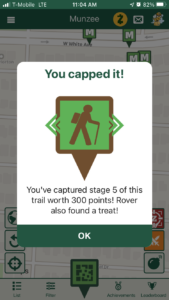
When you capture the last stage of a Physical Trail Munzee while a Rover is with you, you have a chance of finding a Rover Treat! In addition, the deployer of the trail will also receive a Rover Treat! After all, the deployer did go to the effort of deploying and maintaining their Trail, which is not an easy feat!

Please note that this is only for Physical Trails. The chance of finding Rover Treats may spread to other types in the future!

The popup that appears after you’ve captured the final stage of a Trail will let you know if Rover has found any, so make sure to keep an eye out! You will also find them on your credits list.

Of course, if you need more Rover Treats, you can pick them up in the In-App Store for 40 Zeds, or get a pack of 10 Rover Treats in the Freeze Tag Store for $3.

As we continue to refine and improve the Munzee app, expect more Rover-related news!

Munzee on!

May 11, 2021

Updates to Quick Deploy and MORE in the App!

UPDATE: There was a mix-up involving the build number and our first note in bold red text below — it’s been corrected now!

Earlier in the year, we updated the Munzee Website with some improvements to the Quick Deploy process, which received a lot of positive feedback! We knew the next step was to bring over similar improvements to the app, so here’s a rundown of what you’ll find in the latest OTA (over-the-air) update! The build will be #736 — try restarting your app to see if it downloads!

An Improved Quick Deploy Experience!

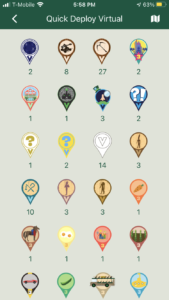
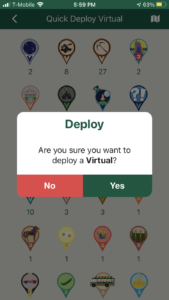
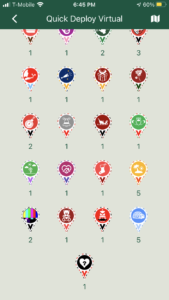
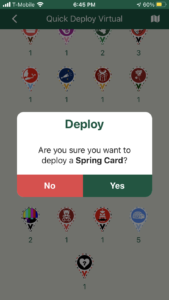
Now, when you hold down the green pin button, instead of a list of each undeployed munzee ordered from newest to oldest, they are now grouped by type, along with a confirmation pop up to avoid accidental deploys, as you can see below:

In addition, the screens above will only show munzees that have never been deployed. We thought this change would be more convenient for players as most previously deployed munzees will require you to be within a certain range of where they were originally deployed to redeploy them. If you do need to redeploy a munzee, you can still access it by navigating to your Profile –> [Inventory] –> [Undeployed Munzees].

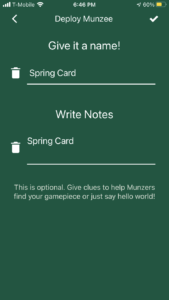
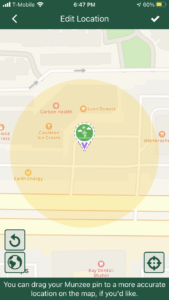
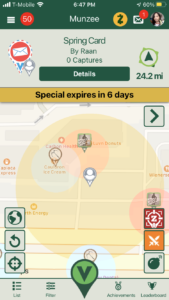
You may recall that the old Quick Deploy process allowed you to view the map while you chose which munzee to deploy. While that is no longer the case, we did make another tweak that should be a good compromise: now, Quick Deploy will deploy where the map is centered on, rather than where you (and your blue dot) are located. As an example, here’s how you can quickly deploy a Greeting Card near a friend:

You can also use this to quickly drop munzees around upcoming event locations, if the area isn’t too crowded. Simply open the side menu, tap on [Munzee Events], and then tap on an Event Indicator pin to get to its details and view it on the map!

Please note that (1) Destinations like Skylands and Virtual Condos will still be deployed at the player’s current location, even if you use Quick Deploy — and (2) this change has only been made for the Quick Deploy process — all other Deploy processes in the app will still deploy at your current location.

Other Fixes/Improvements!

  • Dismissing the Send Rover pop up when given the option with the extended capture radius will no longer deselect the Munzee
  • Tapping on a badge from the Notifications list will scroll you down to the exact location of that badge in the Achievements area — this was how we had it working originally, but it seems to have broken at some point — we’ve fixed it and hopefully it stays that way! ?
  • Setting off blasts while moving quickly should blast the Munzees in the exact location you’re in when tapping on the “Fire!” button, thanks to caching improvements!

We hope you enjoy the changes we’ve made in this update! Remember that we will always maintain our Update Log HERE. Feel free to check it out whenever you like!

Munzee on!